


tap to download the app
Download the Grand Eagle Android app installer to your device.
Use the infographic and written steps below to install the Grand Eagle Android app safely on your Android phone.
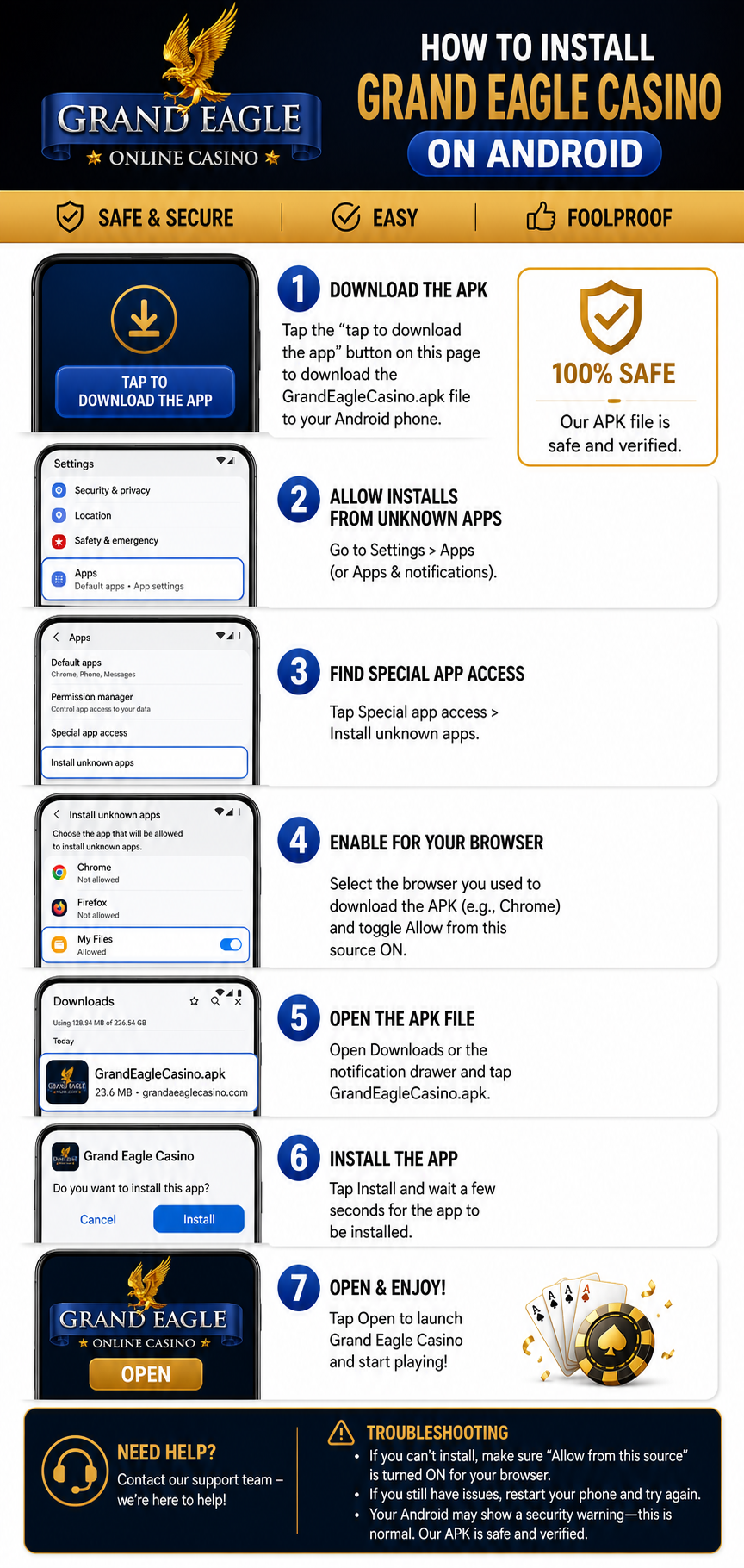
Installation instructions
- Download the APK. Tap the tap to download the app button above and save the GrandEagleCasino.apk file to your Android phone.
- Allow installs from unknown apps. Open Settings, then go to Apps (or Apps & notifications).
- Find Special app access. Tap Special app access, then choose Install unknown apps.
- Enable your browser. Select the browser you used to download the APK, such as Chrome, and turn on Allow from this source.
- Open the APK file. Open Downloads or the notification drawer, then tap GrandEagleCasino.apk.
- Install the app. Tap Install and wait a few seconds for the installation to finish.
- Open and enjoy. Tap Open to launch Grand Eagle Casino and start playing.
Having trouble?
If Android shows a security warning, confirm that Allow from this source is enabled for your browser. If the installation still does not start, restart your phone and try again. For further help, contact the Grand Eagle support team.